Gym management · built in Sydney
The whole gym, in one app.
Members, bookings, direct debits, programming, the gym TV and your reports — together, instead of six tools that never quite agree. Built by a gym owner, for functional fitness gyms and studios.
Your members open a link and add Chalk to their phone’s home screen.
- Members
- Bookings
- Direct debits
- AI programming
- Metrics
- 1RM tracking
- Referrals
- Shop
- Events
- Waivers
- Coach roster
- Gym TV
- Leaderboard
- Reports
- Personal training
- Email and in-app messages
- Trials and drop-ins
The problem
Your gym runs on a pile of tabs.
One tool takes bookings. Another takes payments. The programming lives in a spreadsheet, the workout on a slide, the waivers in a folder.
The same member, typed four times
A new member is a booking, a payment, a waiver and a program. Every extra tool is another place to get it wrong.
Software built for everyone
General fitness platforms try to fit every kind of business, so a coached-class gym ends up paying for, and working around, features it never uses.
Chasing money by hand
When a debit fails, somebody has to notice, remember and send the message. It should just happen, and the right people should be told.
How it works
Set it up once. Chalk runs the week.
Set up your gym
Your class types and weekly timetable, membership plans and prices, drop-in and trial offers. Your name, logo and colours go on everything.
Bring your members
Members get a sign-in link by email and set their own password. Moving from another system? Ask us how.
Members book and pay
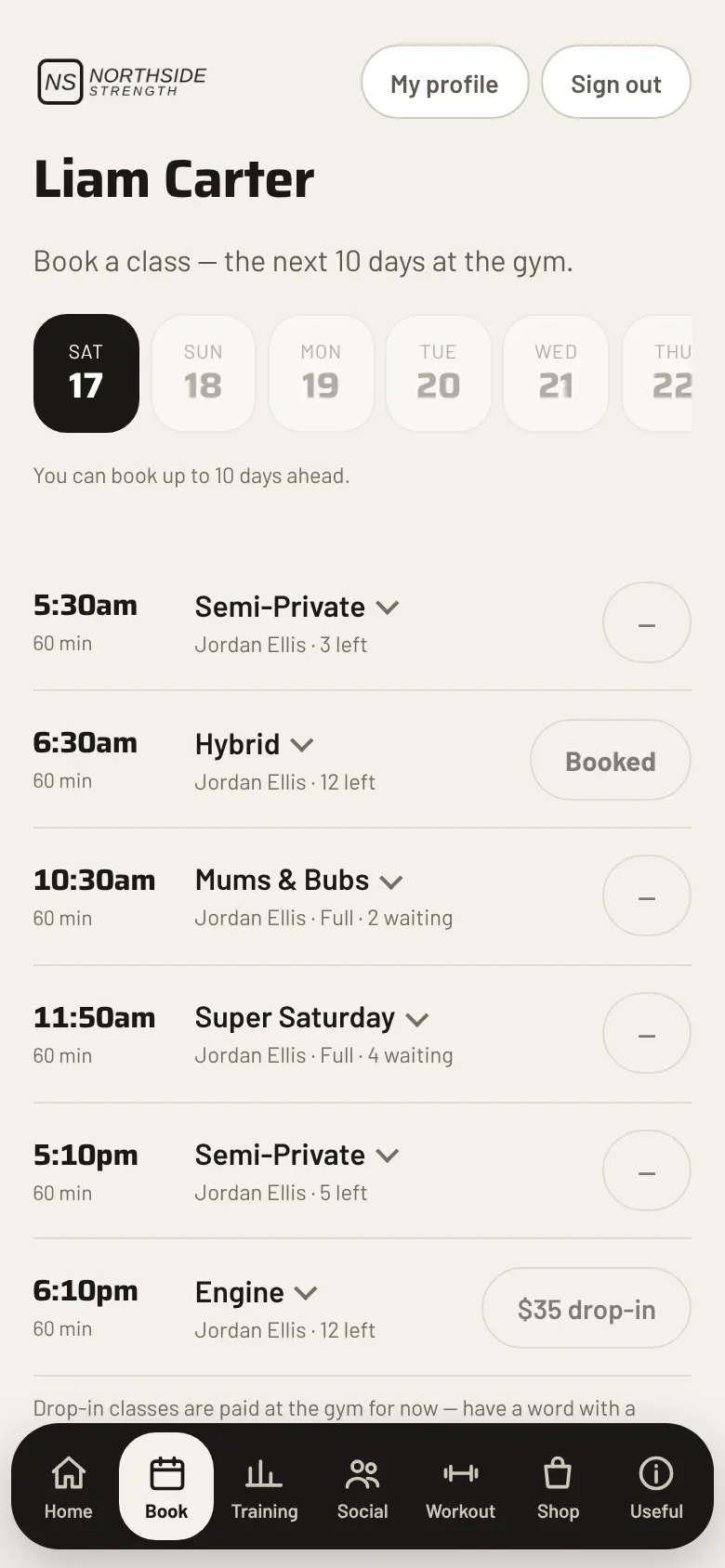
They book from their phone up to 10 days ahead, keep a payment method on file, and see their program and their numbers.
You coach
Debits run each night, reminders go out, the class list and the TV are ready. You see what needs you on the dashboard.
AI programming
A program built for each member, from one prompt.
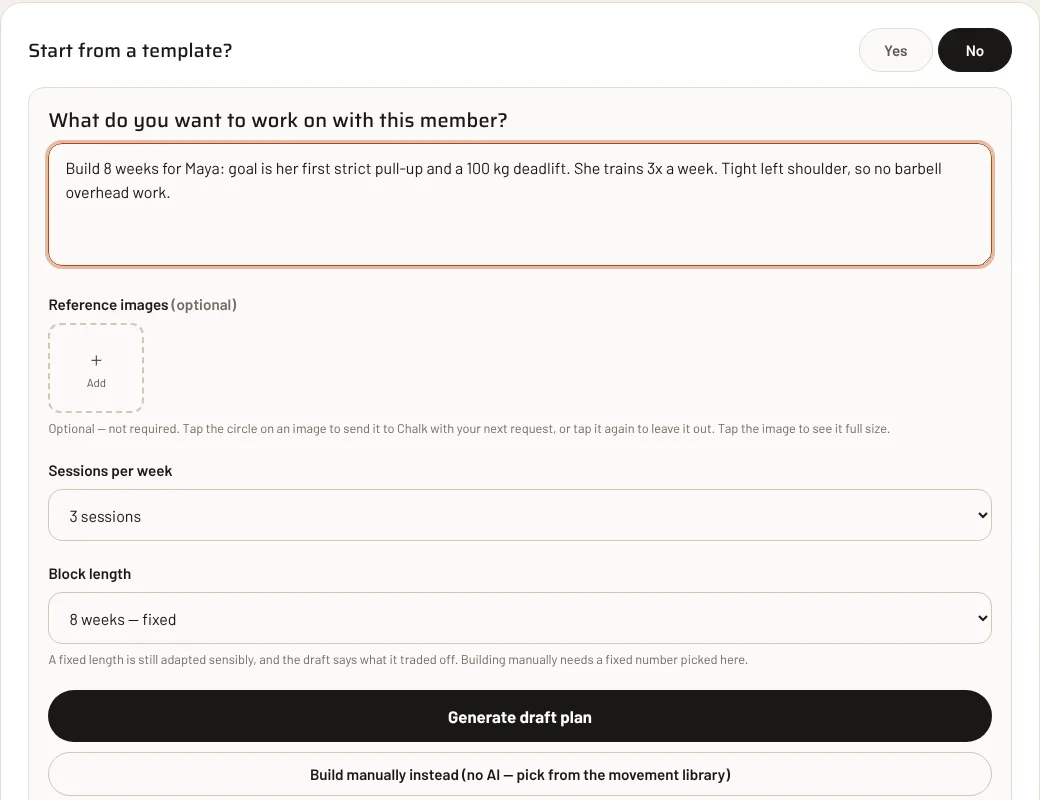
Write what the member needs in a few lines. Chalk already knows who they are, so it drafts a block that fits them. You read it, change it and publish it.
It already knows the member
Their profile, their last blocks, the results they logged, the classes they came to, your equipment, your movement library and your standing instructions.
One prompt, a specific block
Say the goal, the days they can train, any injury, an event. A first strict pull-up, a race in the spring, a return after a break. Chalk drafts the whole block.
You stay in charge
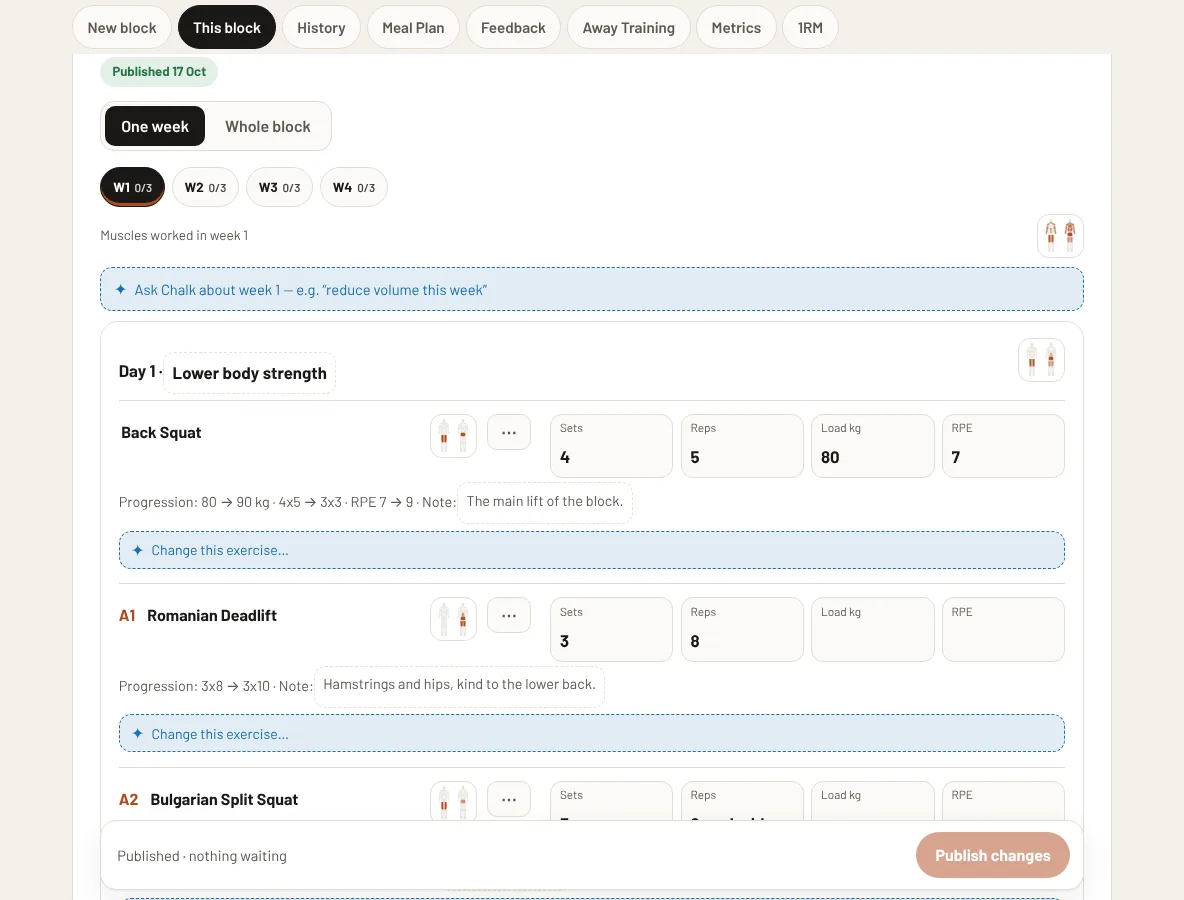
A draft stays a draft. Read it, edit any line, then publish. Nothing reaches a member until a coach publishes it.
Safety comes first
Injuries, pregnancy and postnatal rules are applied before anything else. Chalk uses only the equipment your gym has, and follows your house method.
It learns from your edits
When your coaches keep making the same correction, Chalk notices. It acts on a pattern, not on a one-off, shows you what it has learnt, and the owner can ignore a pattern or reset it.
Trials, started for you
A trial member answers two quick questions in the app. The owner can match each goal to a template. Anyone who mentions an injury or a condition always goes to a coach.
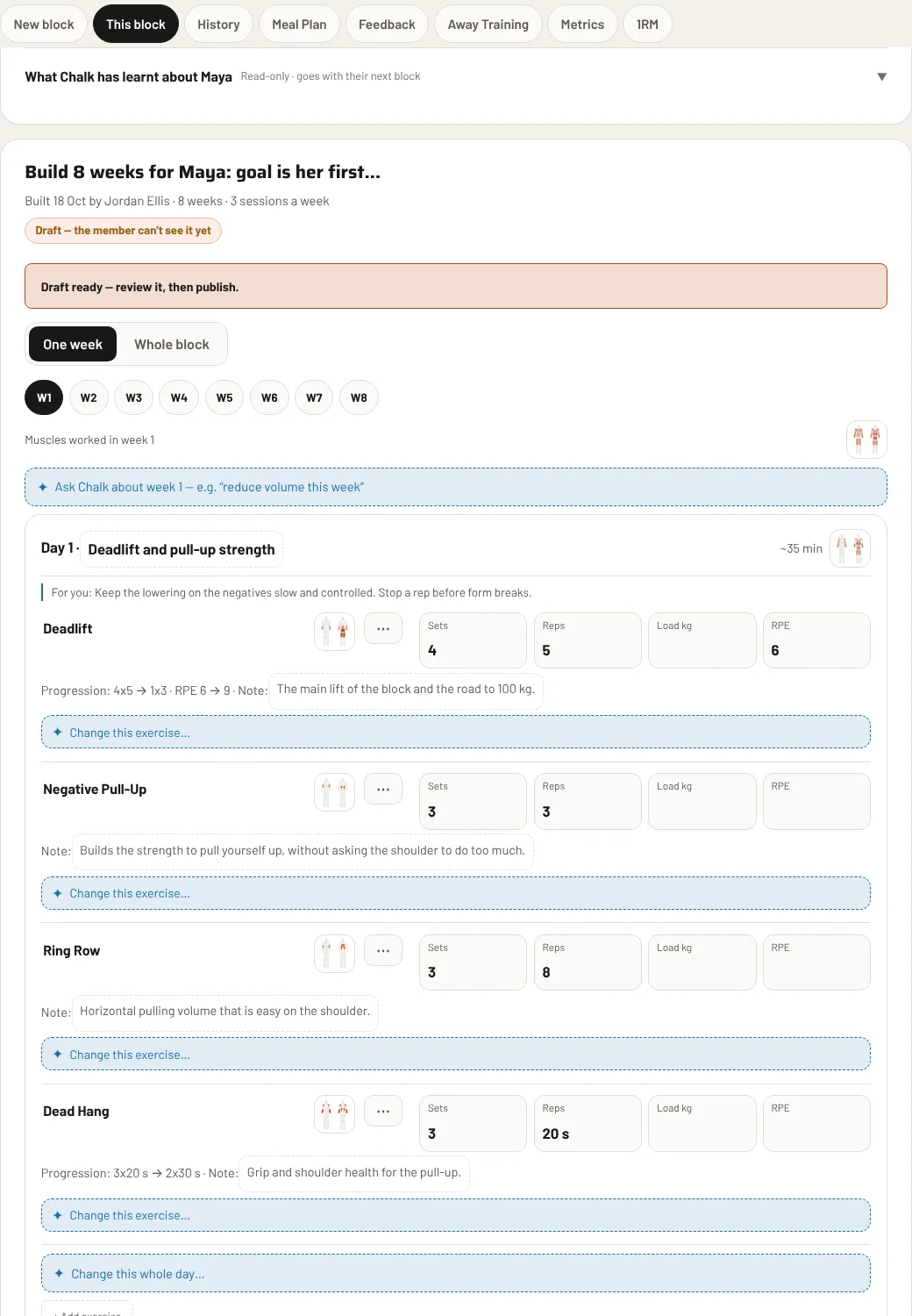
Templates too. Save any block as a template, or build templates with no member at all, and start a new block from one.
The feedback loop
Members log it. Chalk sorts it. You adjust.
A program is only as good as what happens next. Chalk closes the loop between what you prescribed and what the member really did.
Log what they really did
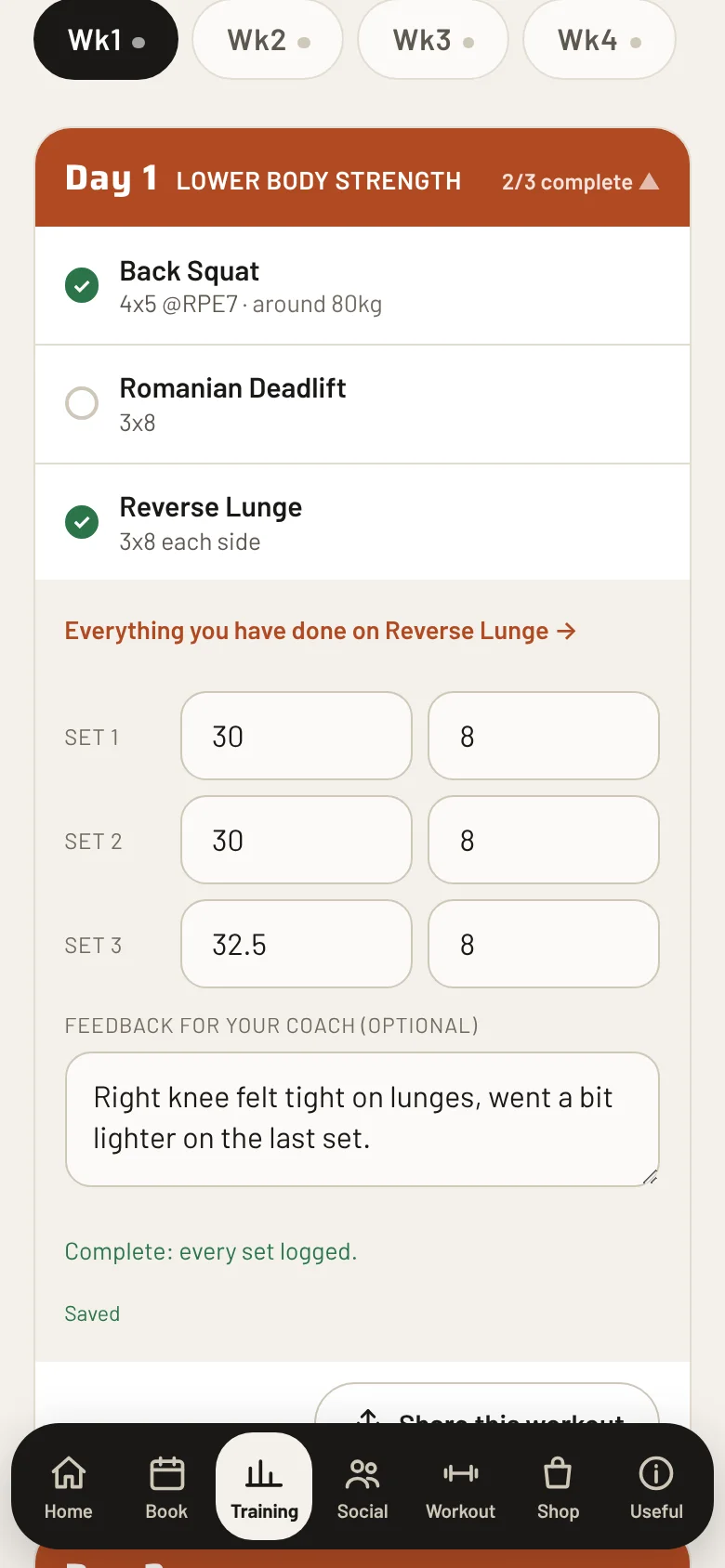
The boxes match the exercise: kilos and reps, a time, calories or a distance. The prescribed reps show in grey, so a member taps to confirm or types what they did.
A word for the coach, on any exercise
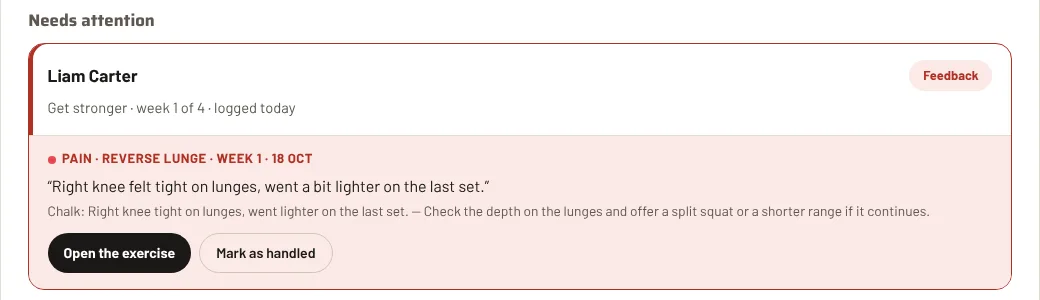
A member can leave feedback on any exercise. Chalk sorts it for you: pain, too hard, too easy, equipment. What needs attention comes first.
Prescribed against actual
When someone keeps lifting above the plan, falls short or leaves sessions half done, it shows up as a trend, and the next draft takes it into account.
What it does
Everything a coached-class gym does in a week.
These are real screens from Chalk, with made-up members at an imaginary gym.
See the gym at a glance
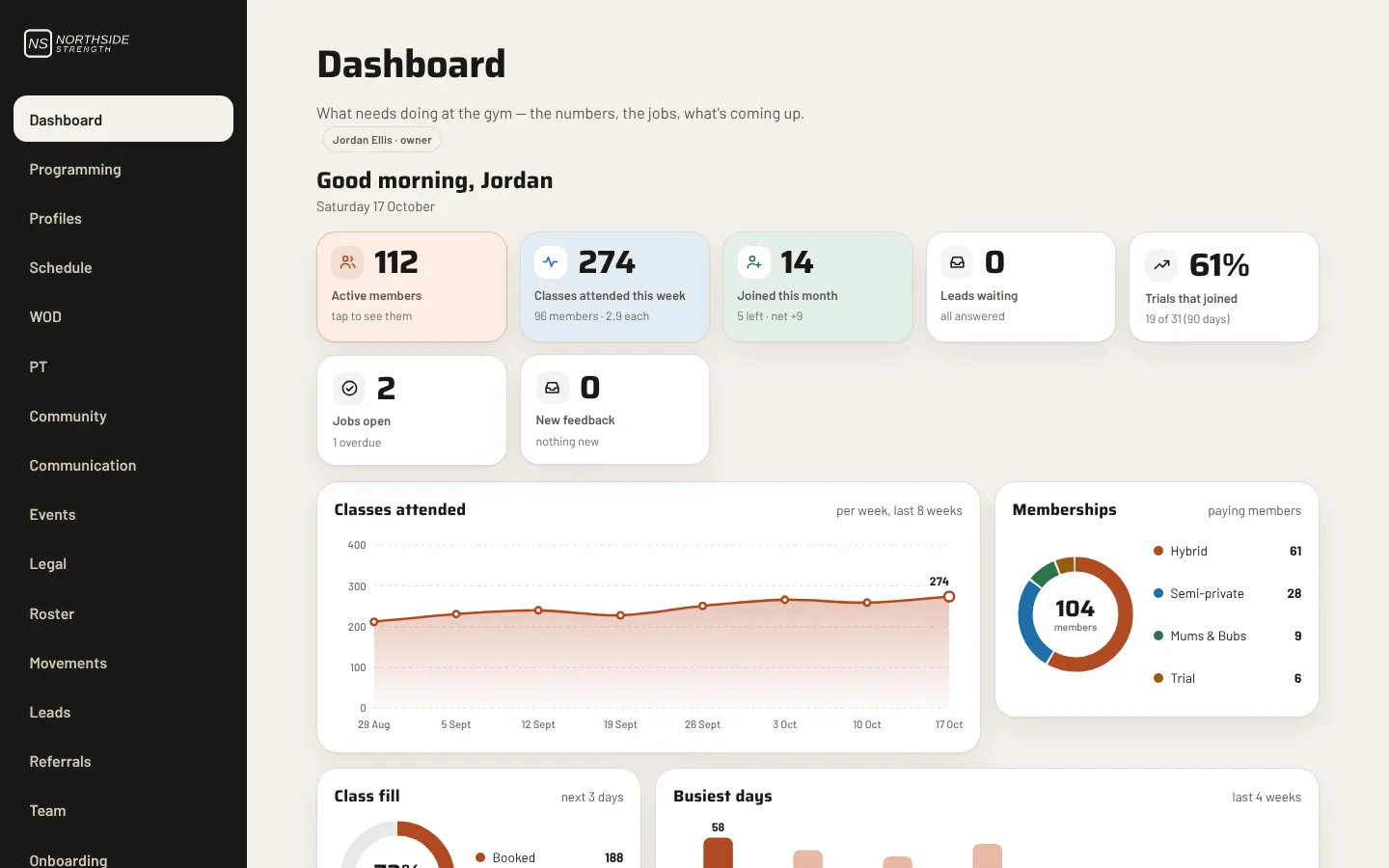
The dashboard opens on what needs you today: active members, classes attended, new leads, jobs, who is due a program, and full or quiet classes. Each figure can be tapped to see what is behind it.
- Attendance, memberships and class fill, week by week
- Money figures only for the people you allow to see them
- Every coach can arrange their own dashboard
A class list that tells you who is who
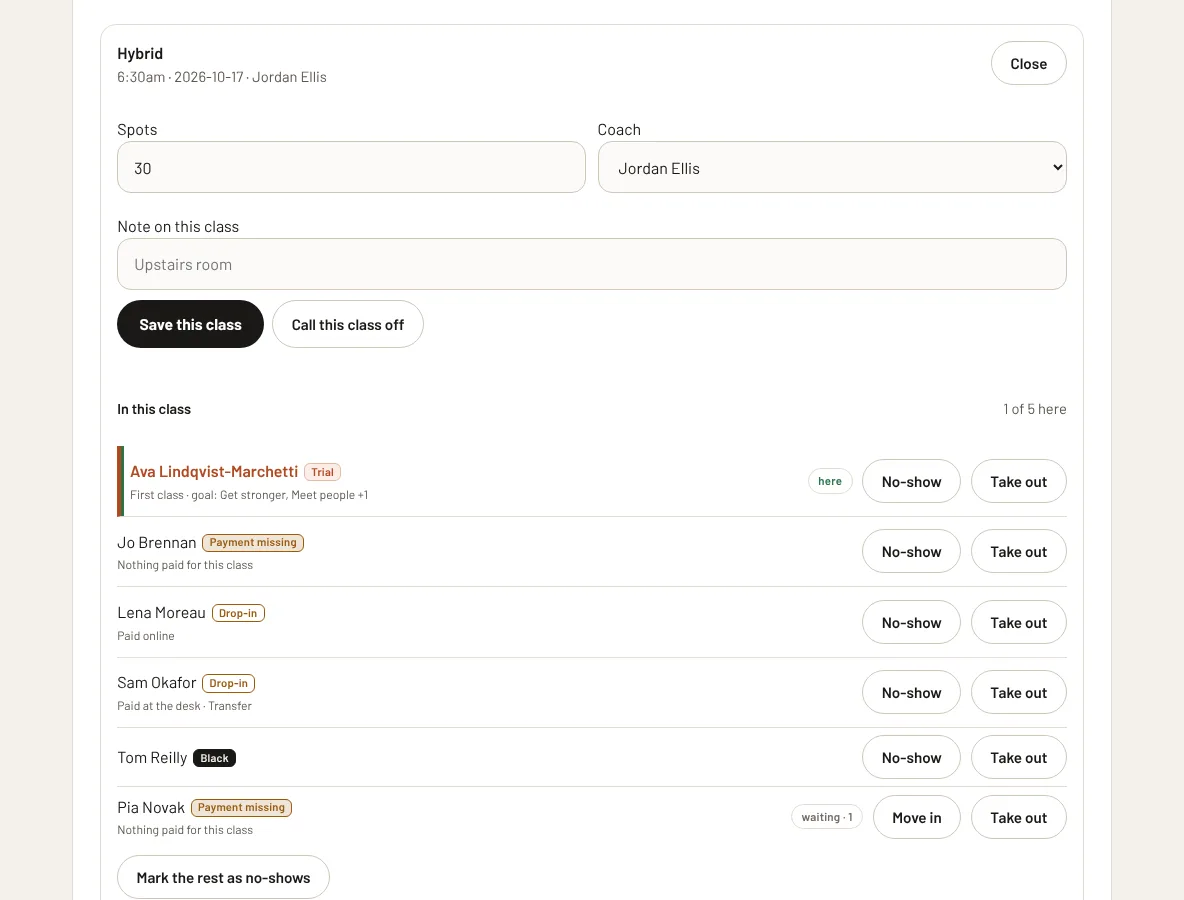
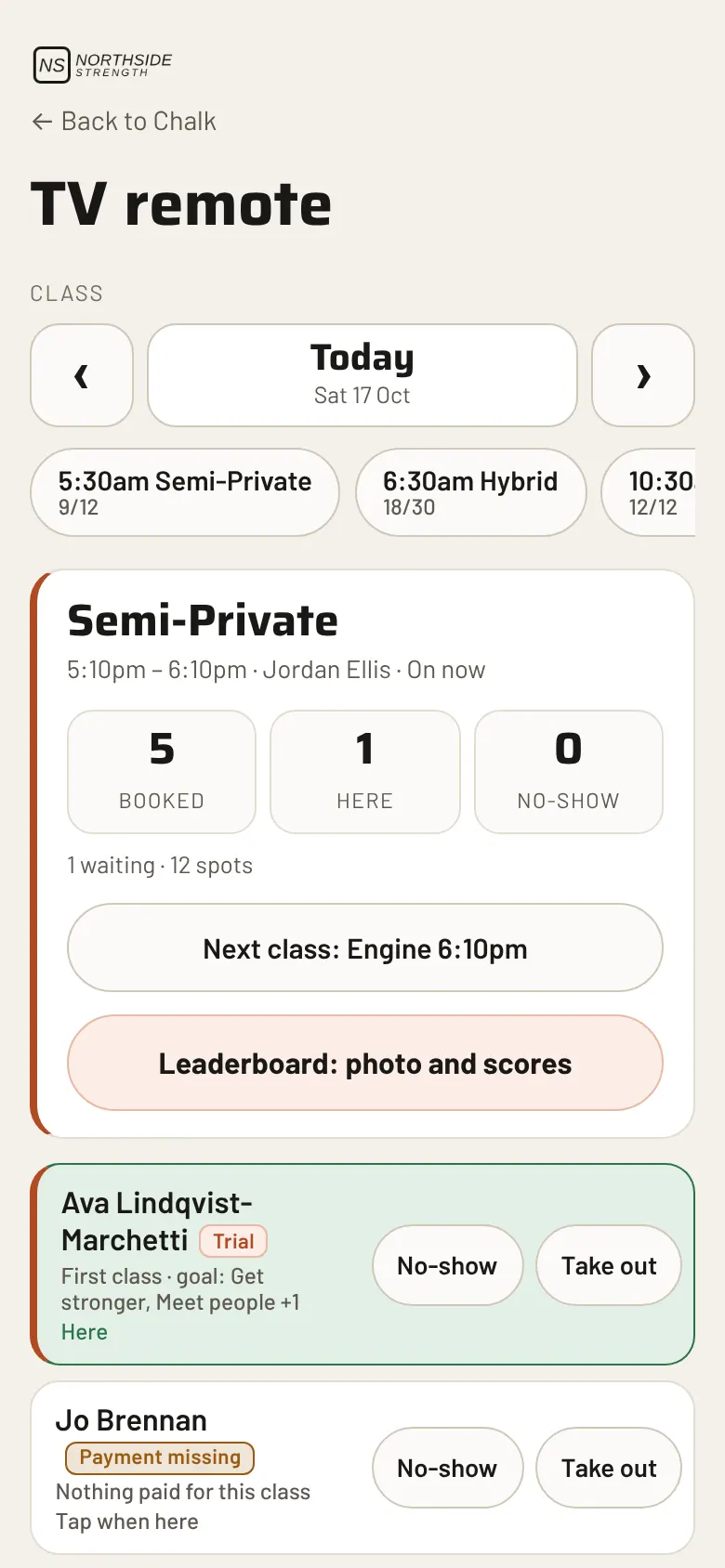
Open a class and see who is booked, who is on the waitlist and who has arrived. Trials, drop-ins and members who still owe a payment are marked right on the list, so nobody is awkwardly asked at the door.
- Sign people in, mark no-shows, move someone in from the waitlist
- Birthdays show on the list, so nobody forgets
- Drop-ins are charged at the desk or paid online
Programming, drafted for you and approved by you
Chalk can draft a training block for a member from their goals, injuries, history and your gym’s equipment. It stays a draft until a coach reads it, changes what they want and publishes it. Nothing it writes reaches a member before that.
- Safety rules first: injuries and pregnancy are handled before anything else
- Learns from what your coaches change, and shows you what it has learnt
- Templates, 1RM tracking, progress photos and weekly check-ins
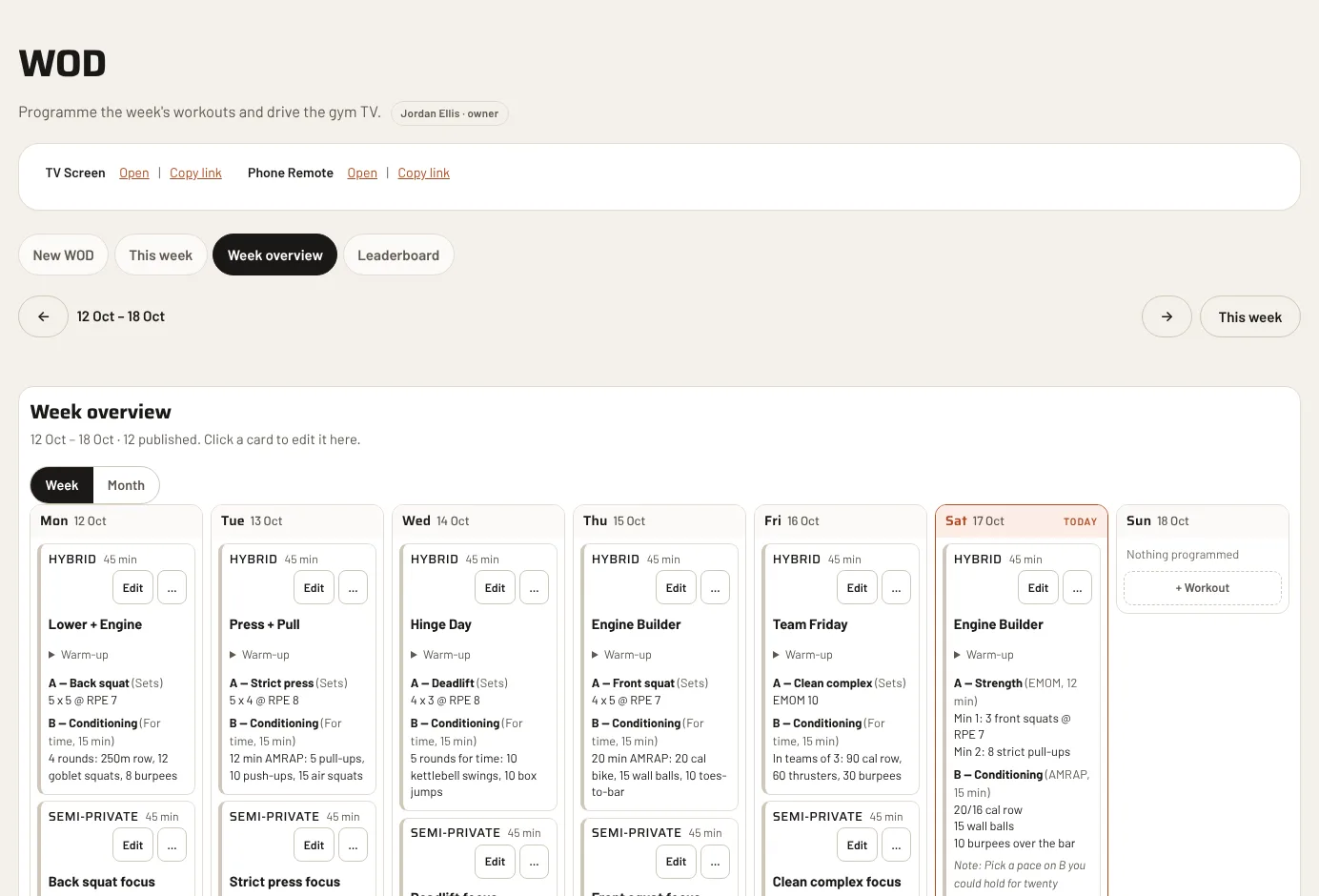
Programme the week, then put it on the TV
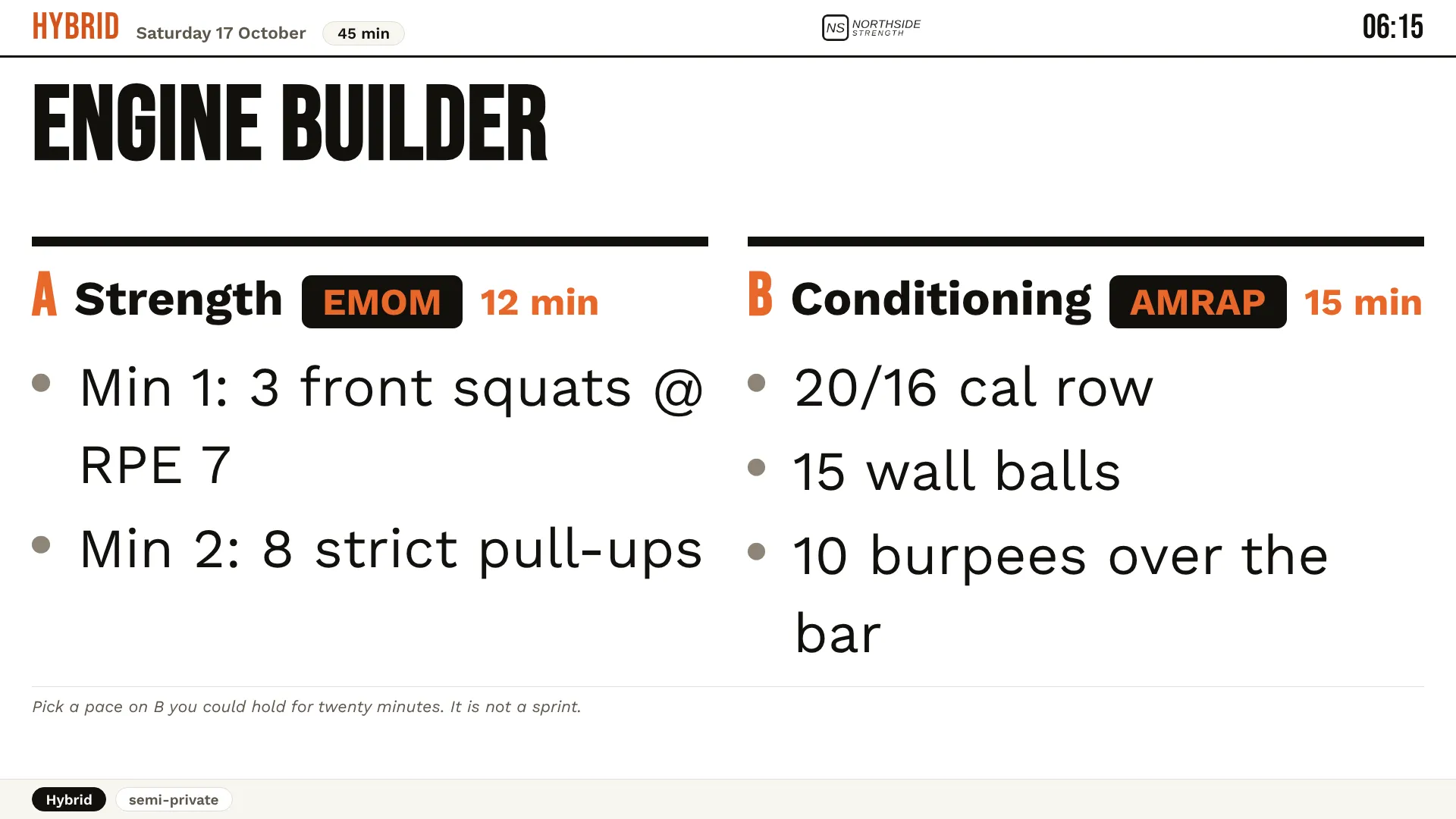
Write the day’s workouts for every class type, in one place. The gym TV shows the workout in big type, and a coach can change what is on screen from their phone, on the floor.
- A week overview you can read at a glance
- Ask Chalk to change one workout, a week or a whole block
- Daily leaderboard with a photo of the whiteboard
The TV and the phone remote
The workout appears on the gym TV in type you can read from the back of the room. The remote is a page on a coach’s phone: pick the class, send the workout to the screen, check people in and out.
Reports you can export
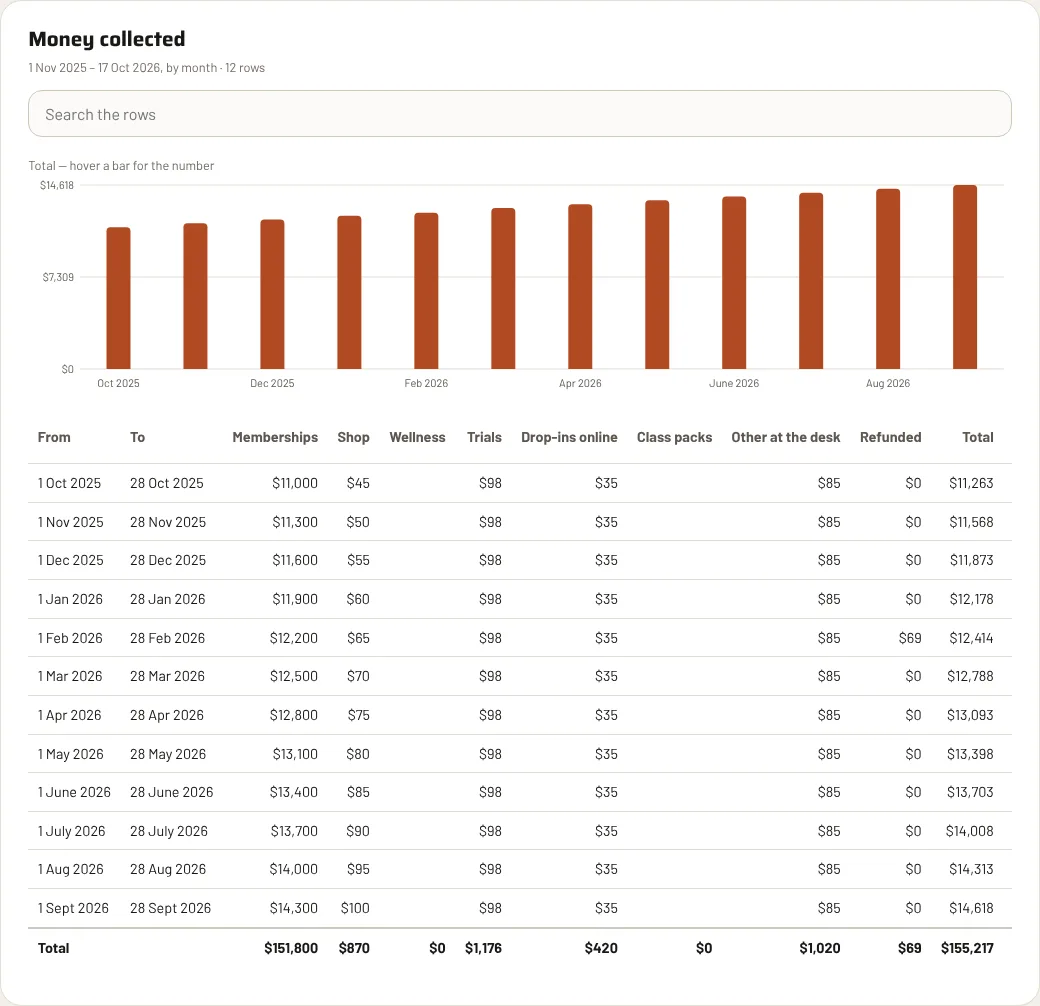
Attendance, members, money and leads, as tables and charts. Search them, filter them and download exactly what you see as a CSV for your accountant or your spreadsheet.
- Money collected by week or month, with refunds taken off
- Who joined, who left, trial conversion, who has not been in
- Dozens of reports, including a line for every payment
Your members’ side
An app your members actually open.
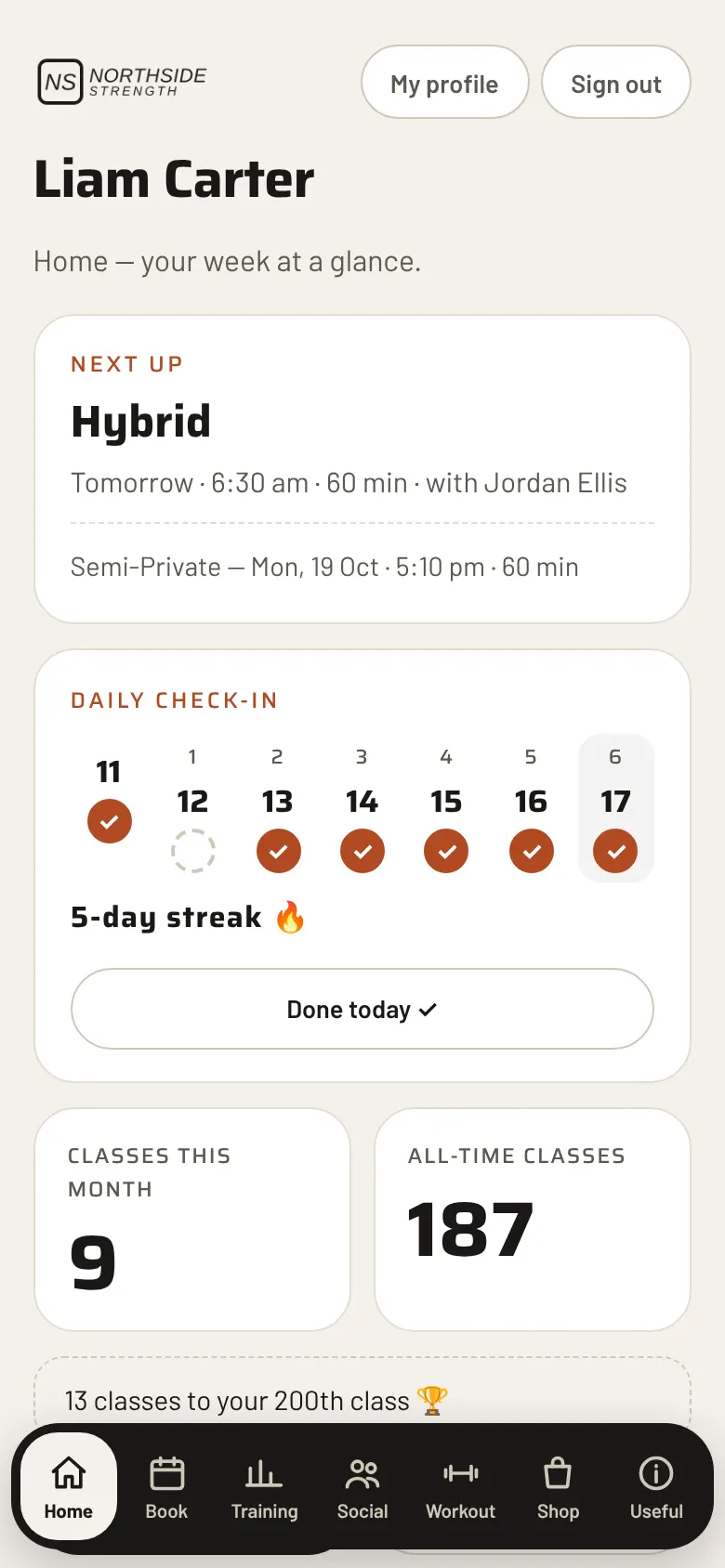
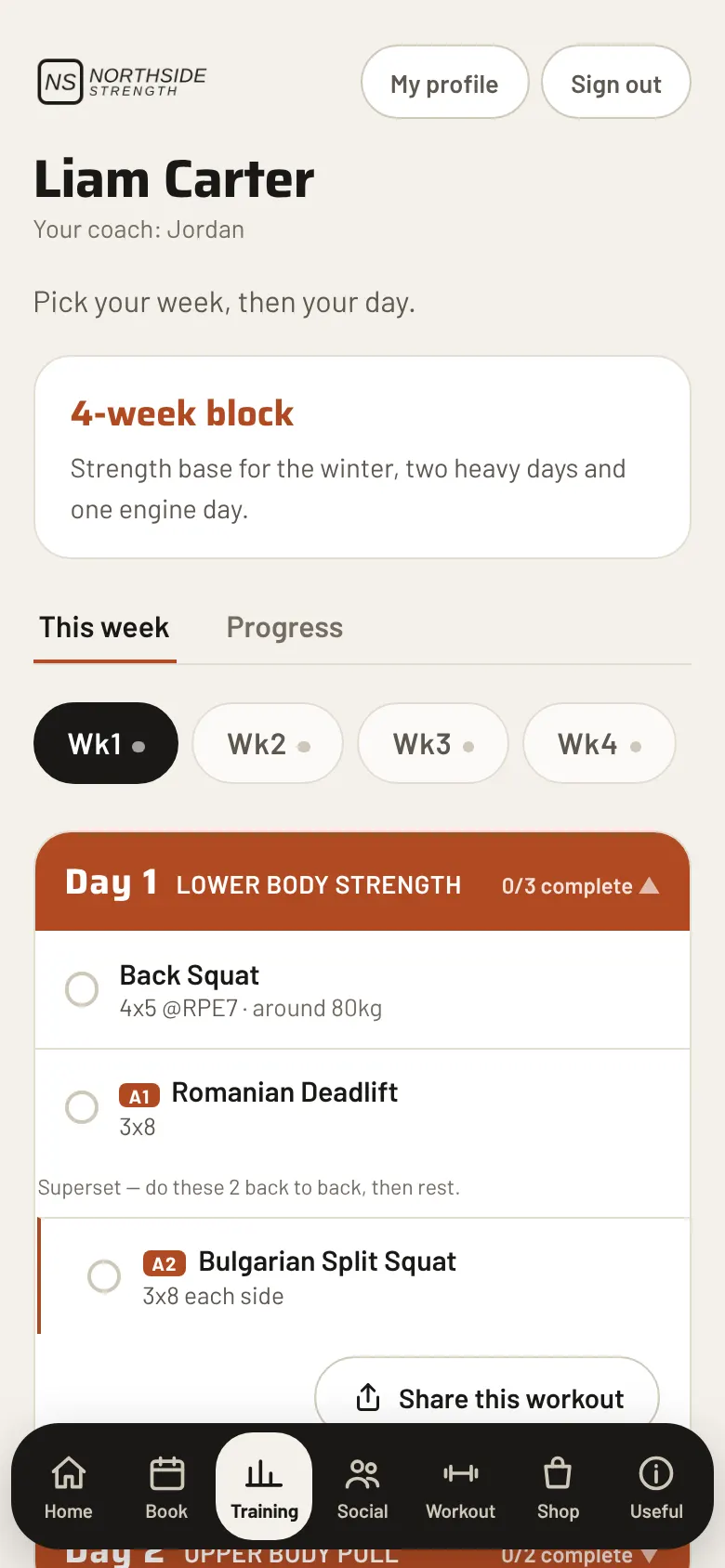
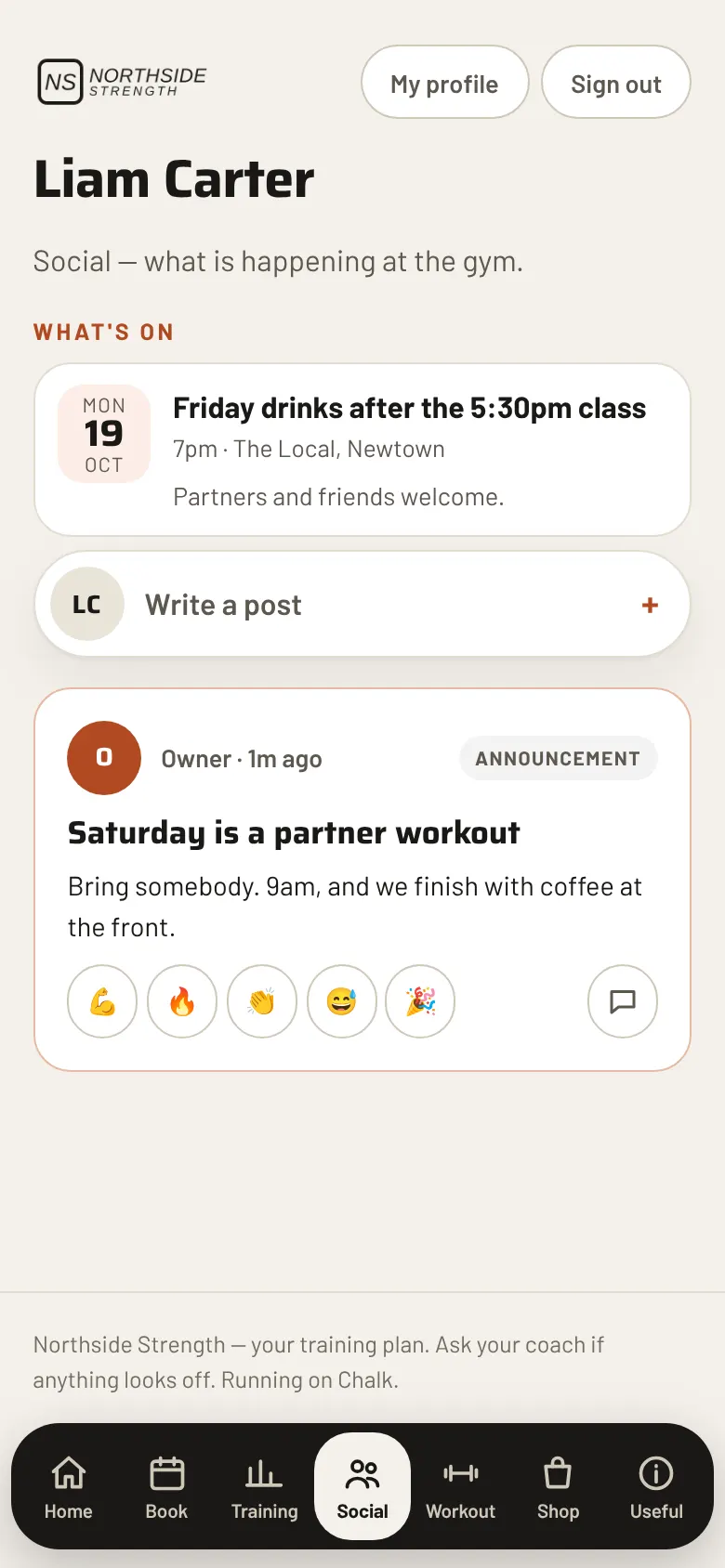
Members sign in with their email, add it to their home screen and have the gym in their pocket. It installs from a link, and it takes your gym’s name, logo and colours.
Metrics
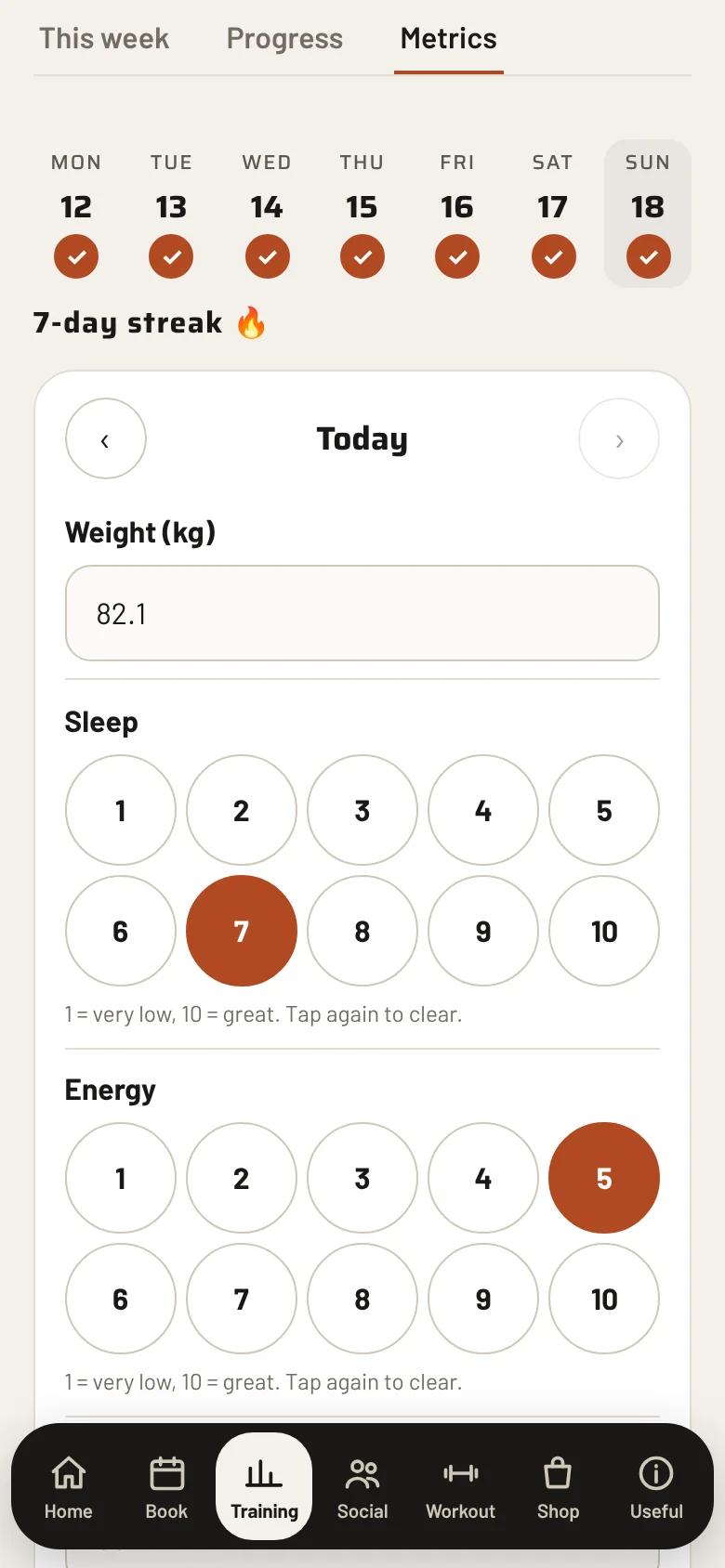
A daily check-in members actually do.
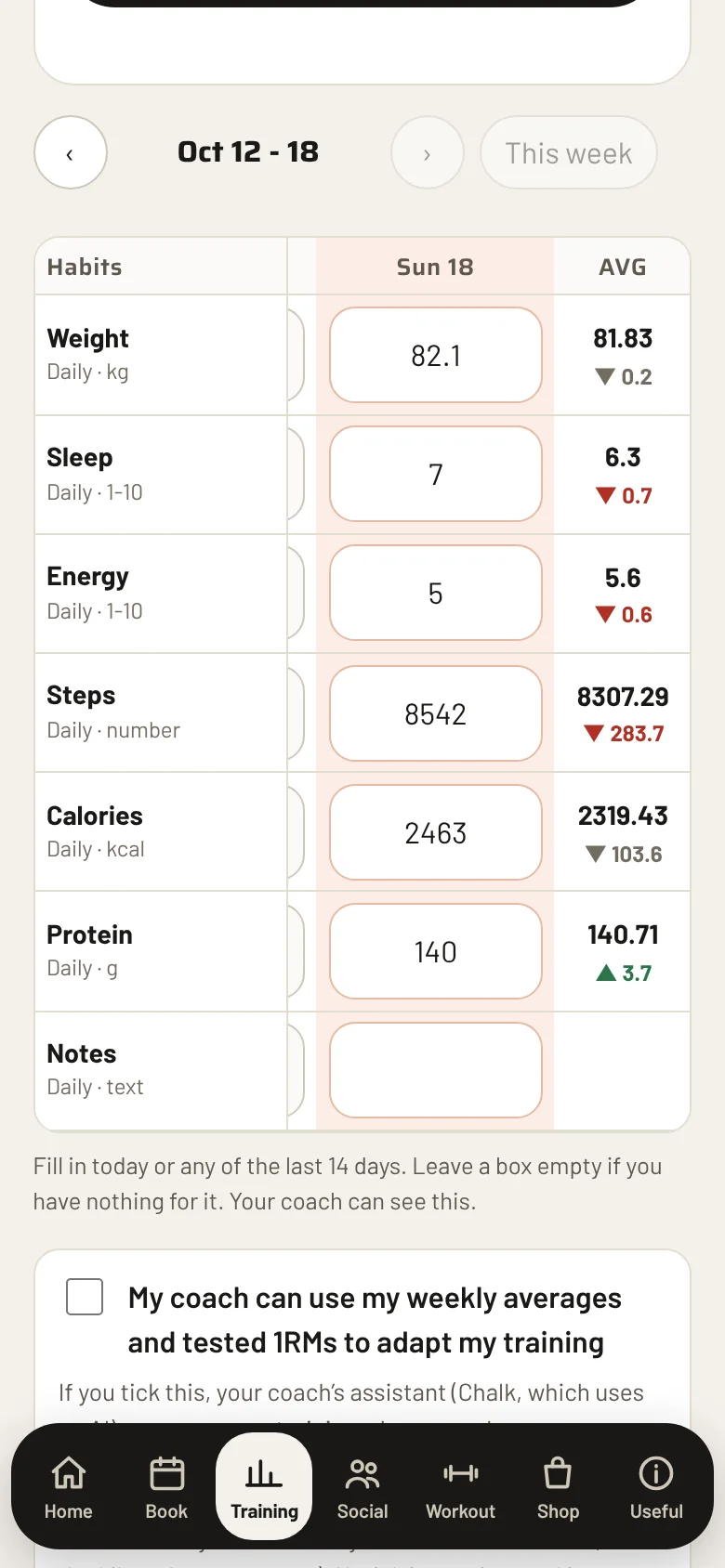
Sleep, energy, weight, steps, water and a note, in one short form. It takes a minute, and it gives the coach something real to talk about.
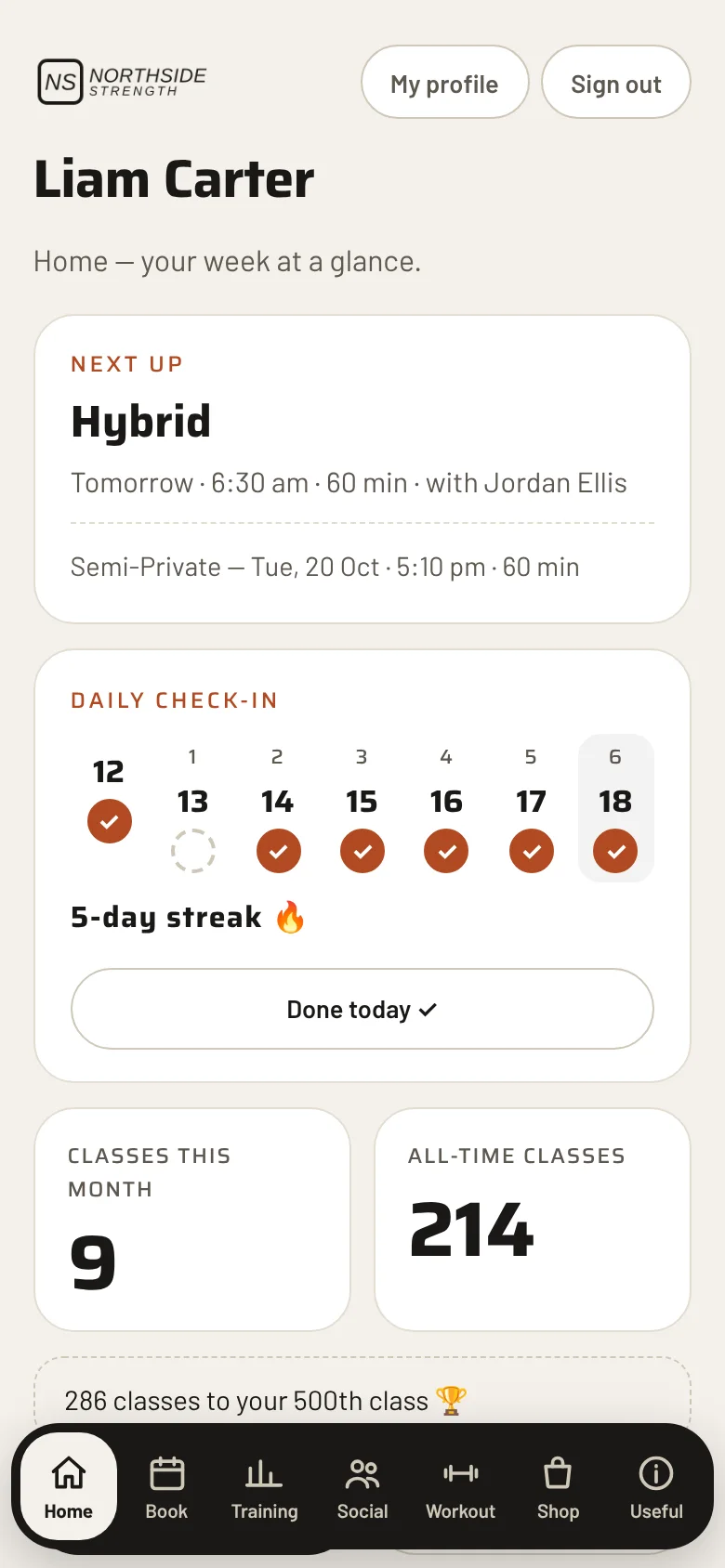
- Quick to fill in. Sleep and energy are a tap on a 1 to 10 scale. A streak and a seven-day strip on Home keep it going.
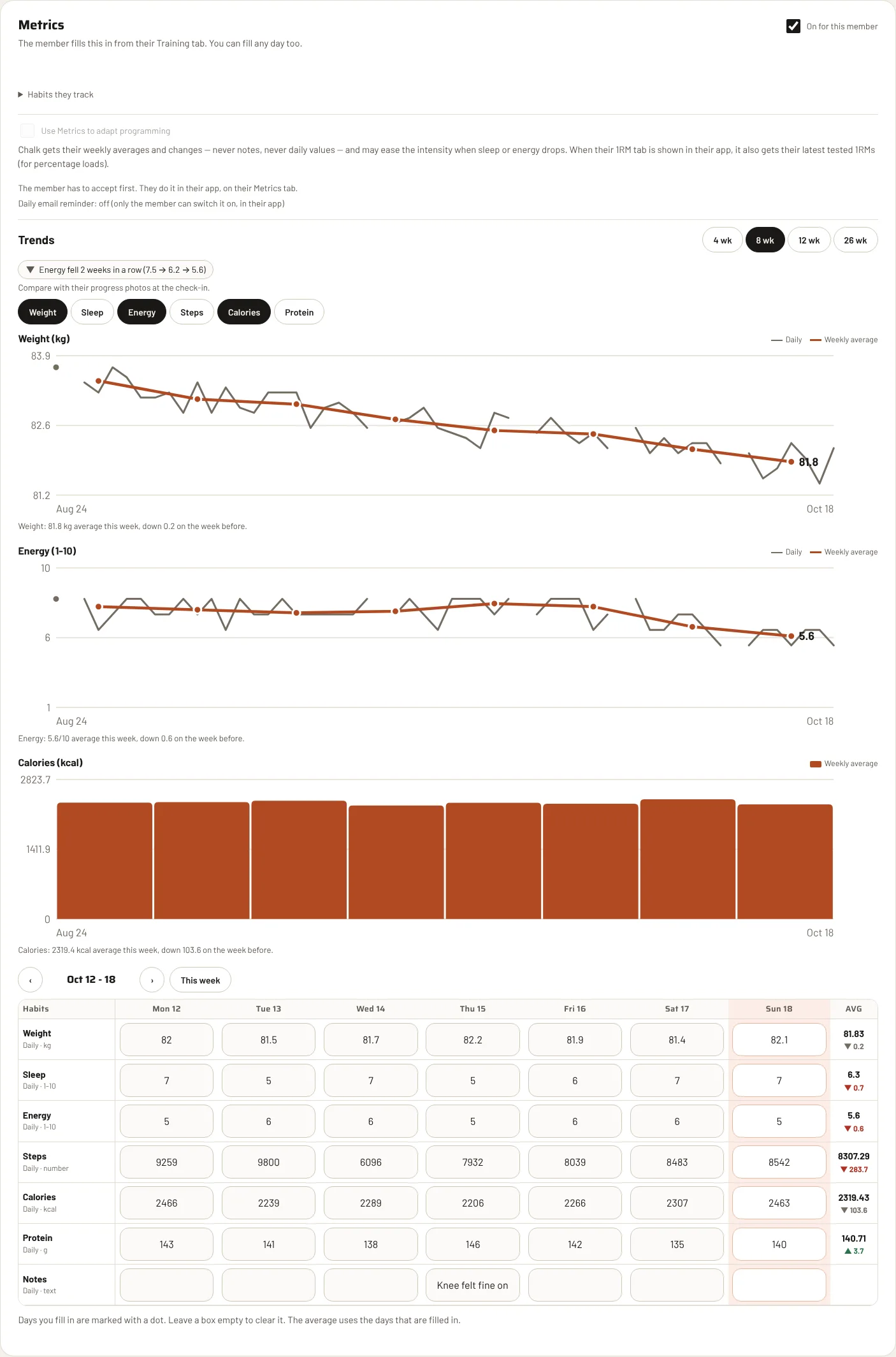
- A weekly table with averages and a small arrow showing the change on last week.
- Trends for the coach. Charts for weight, energy and more, and plain chips such as “Energy fell 2 weeks in a row”.
- Their choice. Each member decides whether to get a daily email reminder.
- Optional help for the program. Only if the member agrees and the coach switches it on, weekly averages help Chalk ease or keep the intensity. Never their notes, never a single day’s numbers.
Make it yours
Your gym, not ours.
Every gym picks its own look. Try it now: the buttons at the bottom of this page restyle the whole page, and the phone beside this text, in each of the six designs.
- Six designs to choose from: Chalk, Pop, Soft, Volt, Bento and Neon.
- Your logo, in up to three versions: light, dark and a small mark for the home screen.
- Your colours. Pick a palette or type your own, and Chalk keeps the text readable on it.
- Your gym’s name on everything: the member app, emails, invoices and waiver PDFs.
A quiet “Running on Chalk” line stays at the bottom.
Showing the Chalk design
Members bring members.
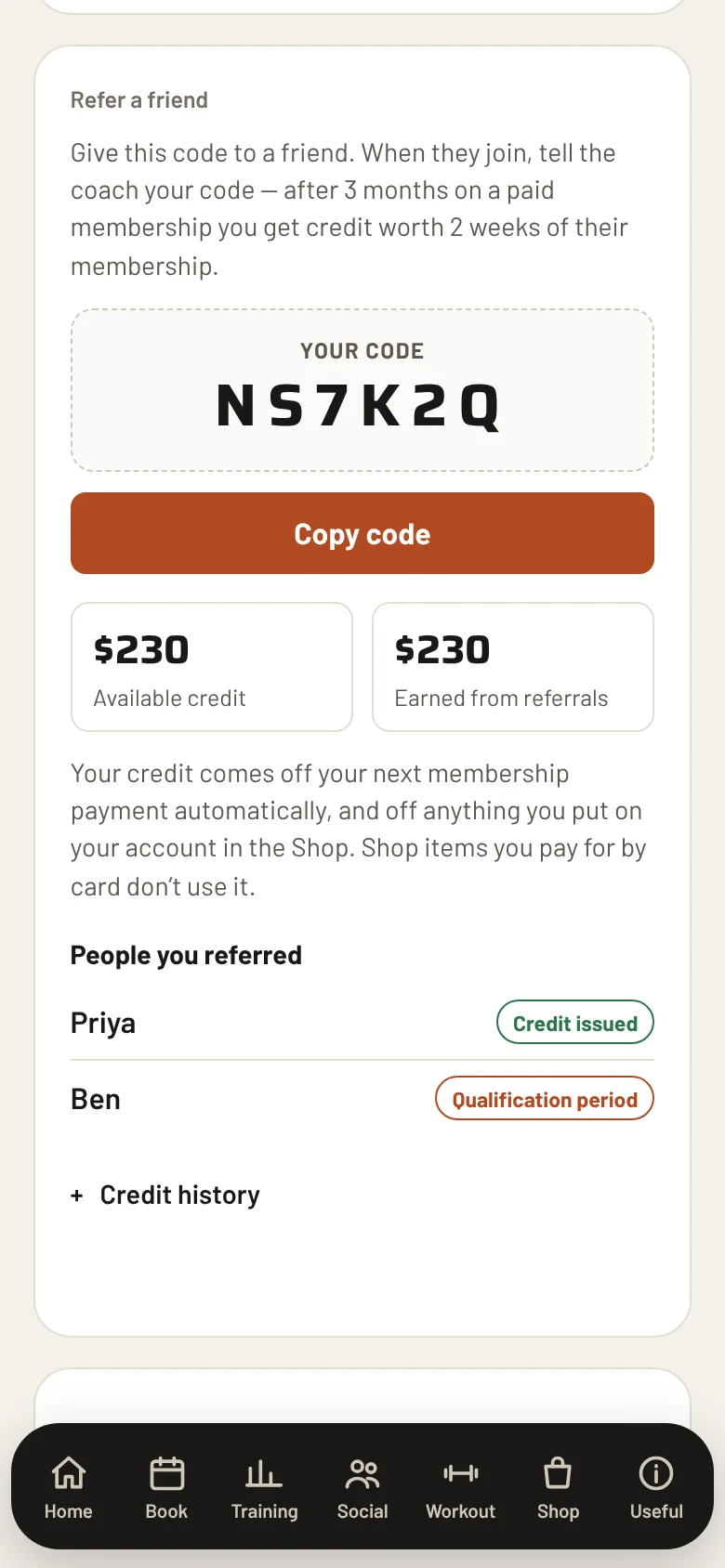
Every member has a six-character code. A new person never needs a link: they just give the code when they join.
- If the new member stays three unbroken calendar months on a paid membership, the referrer earns credit worth two weeks of what the new member pays.
- The member chooses where the credit goes: their next membership payment, or the Shop.
- Forgot to add the referrer? A coach can add one for up to 7 days after the new member joins. The owner can add one at any time.
- Everything is tracked in a Referrals tab, so you always know who referred whom.
Share on social
Members become your marketing.
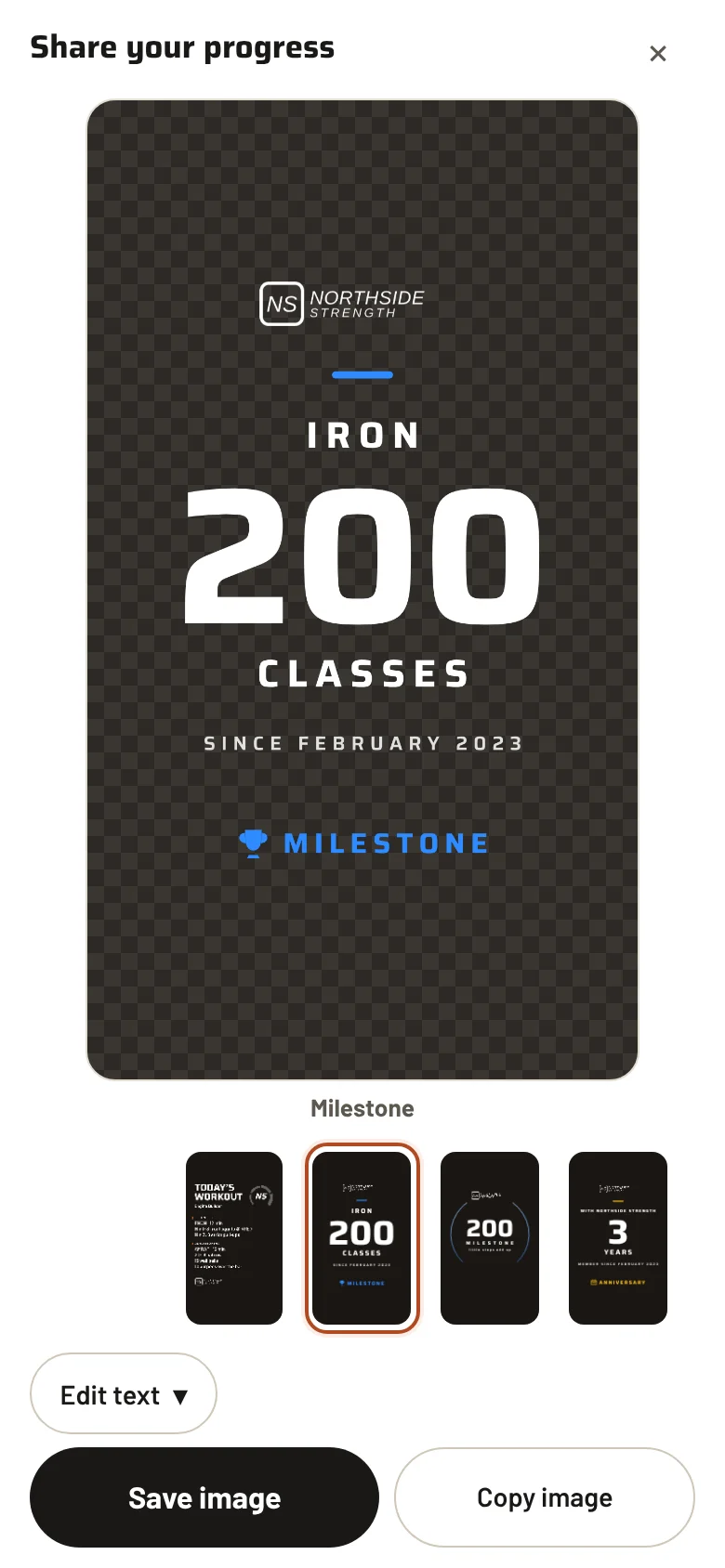
After a class, a milestone or a streak, a member shares a Story card in two taps. There are ten card styles, each one made for an Instagram Story, with your gym’s name on it.
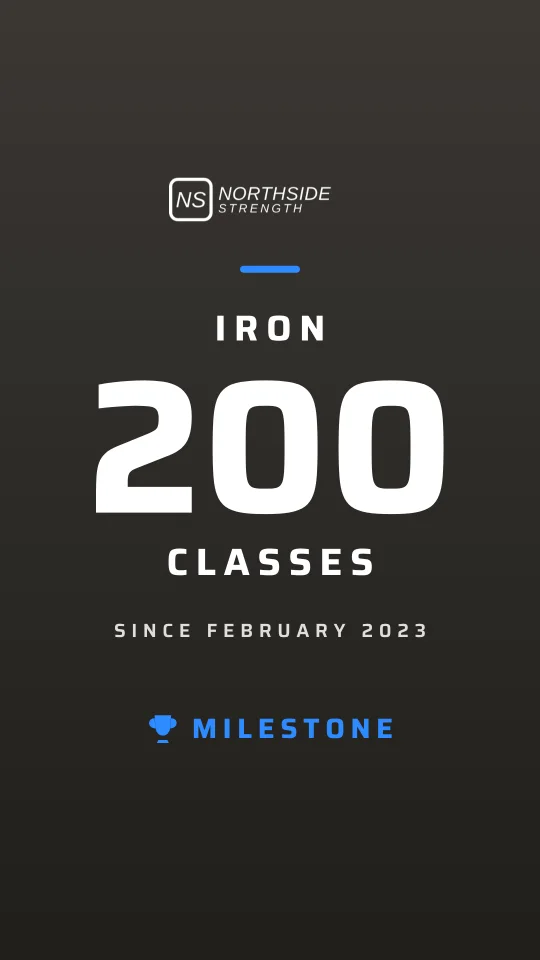
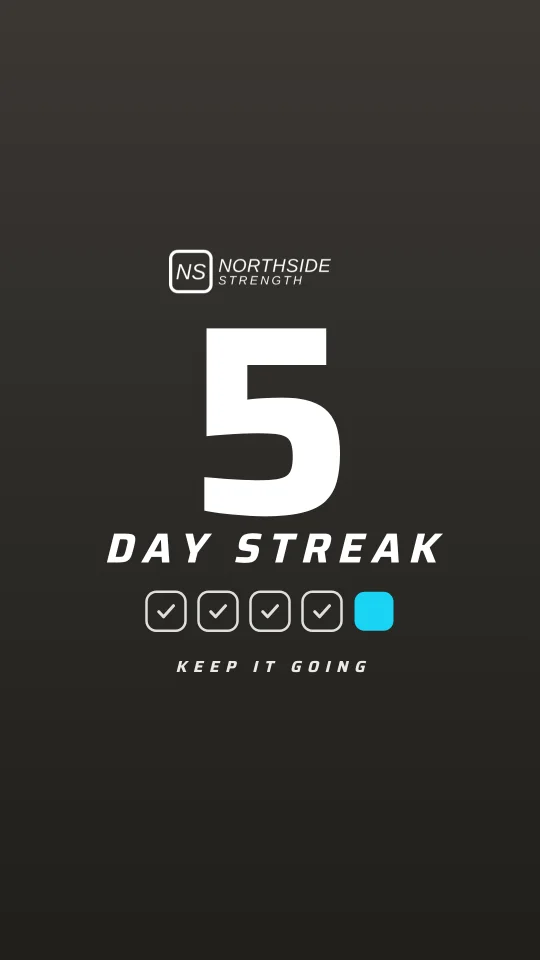
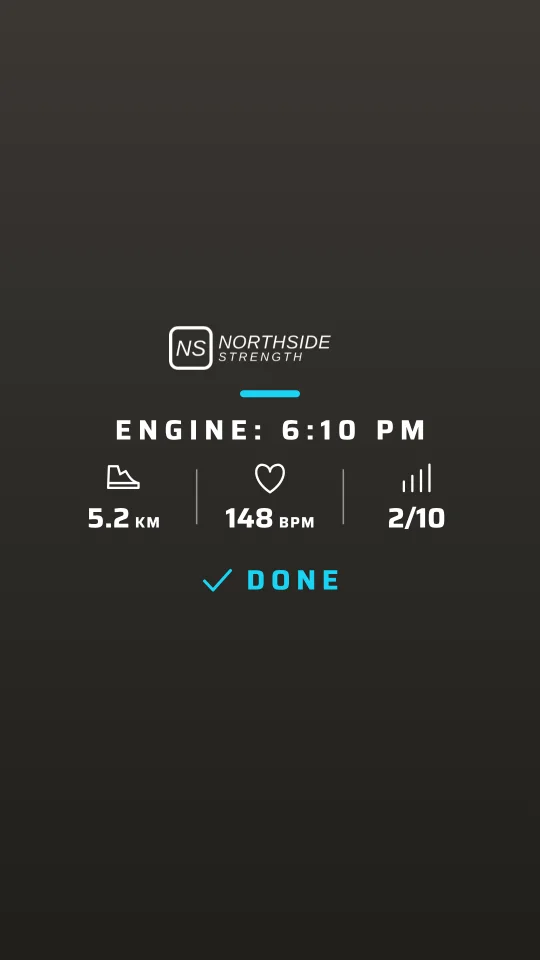
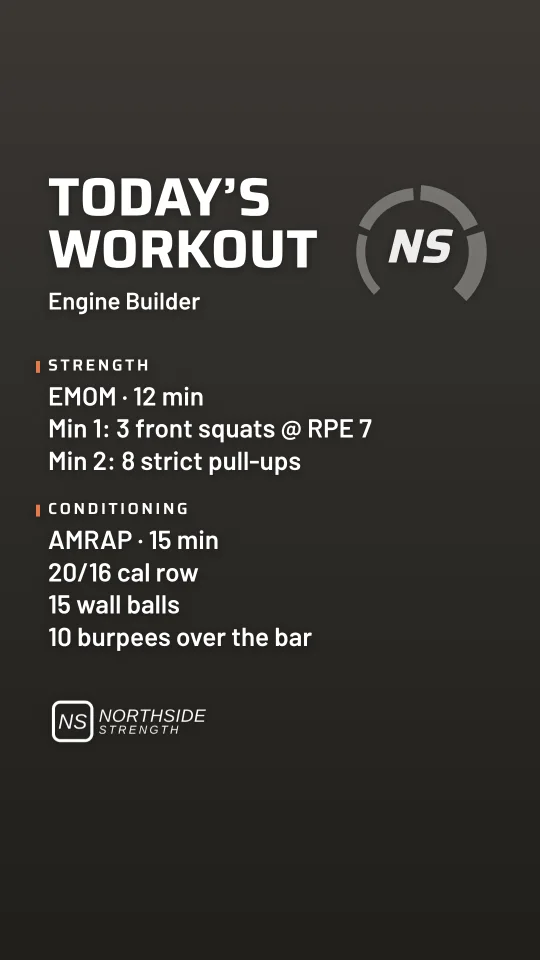
Pick a card, tap Share
The cards are transparent images, so a member can place them on their own photo in Instagram. The set also includes anniversary, weekly goal, progress and monthly recap cards.
- Share, save the image or copy it
- Personalise the text before sharing
And the rest
The jobs around the classes, too.
Shop
A self-service fridge or shelf: members take an item and pay in the app, on their card or on their next debit.
Events
A public page and a QR code for a social night, a competition or a workshop. Free or paid, with a guest list and reminders.
Email and in-app messages
Write to a group of members, leads or event guests. Each email carries an unsubscribe link, as the Spam Act requires.
Leads and trials
A trial and drop-in sign-up page, an enquiry form for your website, and a list of who to follow up.
Waivers and agreements
Members sign the waiver and their membership agreement on their phone, or from a QR code at the desk. Signed copies are kept.
Coach roster
Build the weekly roster, publish it, and each coach sees their own shifts. The owner can see what it costs.
Personal training
Log sessions and invoice them; members pay in the app. It never blocks a class booking.
Team and permissions
Owner, manager and coach roles, with switches for each area. Money screens stay with the people you choose.
Payments
Direct debits that look after themselves.
Members pay weekly or monthly by bank direct debit or card, through Stripe. Chalk sends the debit, tracks the result and tells you only what needs a person.
Chalk takes each payment itself through Stripe. It does not use Stripe Billing, so there is no extra Stripe Billing percentage on top of Stripe’s normal fees.
Each member has their own debit day
It is the weekday their membership started, not one big Monday. Monthly plans fall on the same date each month.
Bank debit or card
Australian BECS direct debit first, with card as a fallback. Members save a payment method once in the app.
Failed payments are handled
Chalk retries, shows who owes what, and can email the member a link to update their card. After two unpaid weeks, booking closes until it is sorted.
Never charged twice
Every debit is reserved in the database before it is sent, and a second debit for a paid period is refused.
Refunds and disputes
The owner can refund from Chalk, in full or in part. Refunds and chargebacks made in Stripe are picked up too, and the period updates itself.
Pauses, trials, drop-ins and packs
Pause requests with coach approval, a trial that starts at the first class, drop-in prices per class, and class packs.
Built for Australian gyms
It already speaks Australian.
Switching
Coming from Wodify or something else?
Chalk can read a Wodify member export (details, join dates and attendance history), and our own first gym moved over that way. Ask us how a move would work for your gym, your members and your payments. We would rather talk it through than promise it here.
Questions
Things gym owners ask.
Do my members need to download anything?
No download. They open a link, sign in with their email and add the page to their phone’s home screen. It works in the browser on any recent phone.
Whose money is it, and where does it go?
Payments go through your own Stripe account, straight to your bank. Card and bank numbers are held by Stripe, not by Chalk.
Does the AI write programs without my coaches?
No. Chalk drafts, a coach reads, edits and publishes. A draft stays a draft until a coach publishes it. Your coaches also decide what Chalk may use, and the AI only sees a member’s metrics if they and their coach have both agreed.
Who can see the money?
Only the people you give that permission. Roles and switches are set per team member, and every change to a membership or a payment is written to an activity log.
How long does it take to move over?
It depends on your gym: how many members, what you use today, how your payments are set up. Tell us in the form and we will give you an honest answer.
Is my data separate from other gyms?
Yes. Each gym has its own set-up, with its own database and its own sign-ins. Nothing is shared between gyms.
Is there a contract?
We will cover terms when we talk. Ask in the form.
Book a demo
Tell us about your gym.
A few lines is plenty. We will reply within a couple of working days and, if it looks like a fit, show you Chalk running on a real gym’s week.
We only use your details to reply to you.
Thank you.
We have your message and will reply within a couple of working days.